
Your Storybook in Azure Pipelines
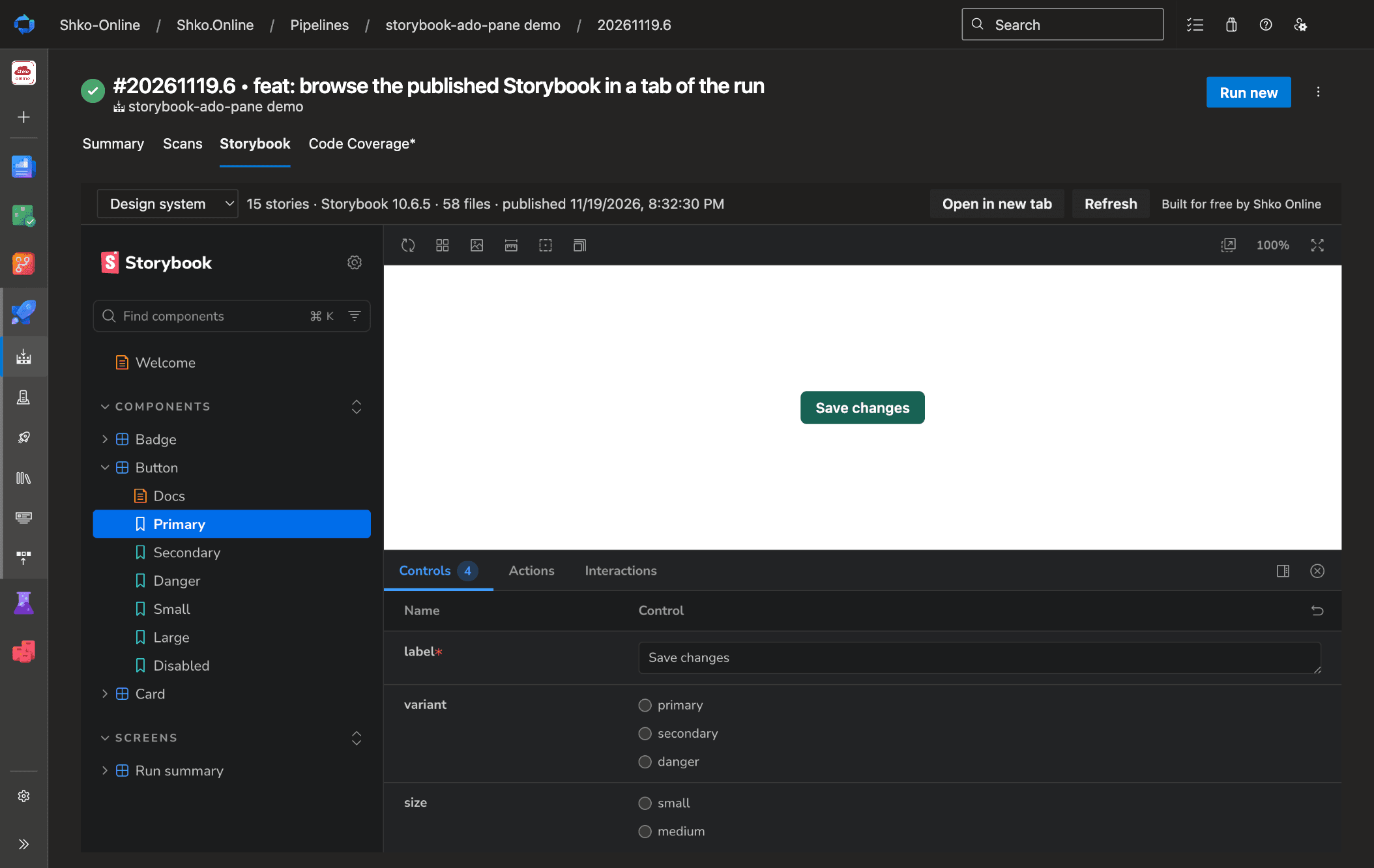
Storybook Viewer is a free Azure DevOps extension. Publish your built Storybook from the pipeline and browse it in a tab of the run. Reviewers see the components exactly as that run built them, with nothing to deploy and nothing to download.
Open source under the Apache License 2.0. View the source on GitHub. One of our Azure DevOps extensions.
What you get
A pipeline task
PublishStorybook@1 publishes the folder written by storybook build as one zip artifact of the run.
A tab on the run page
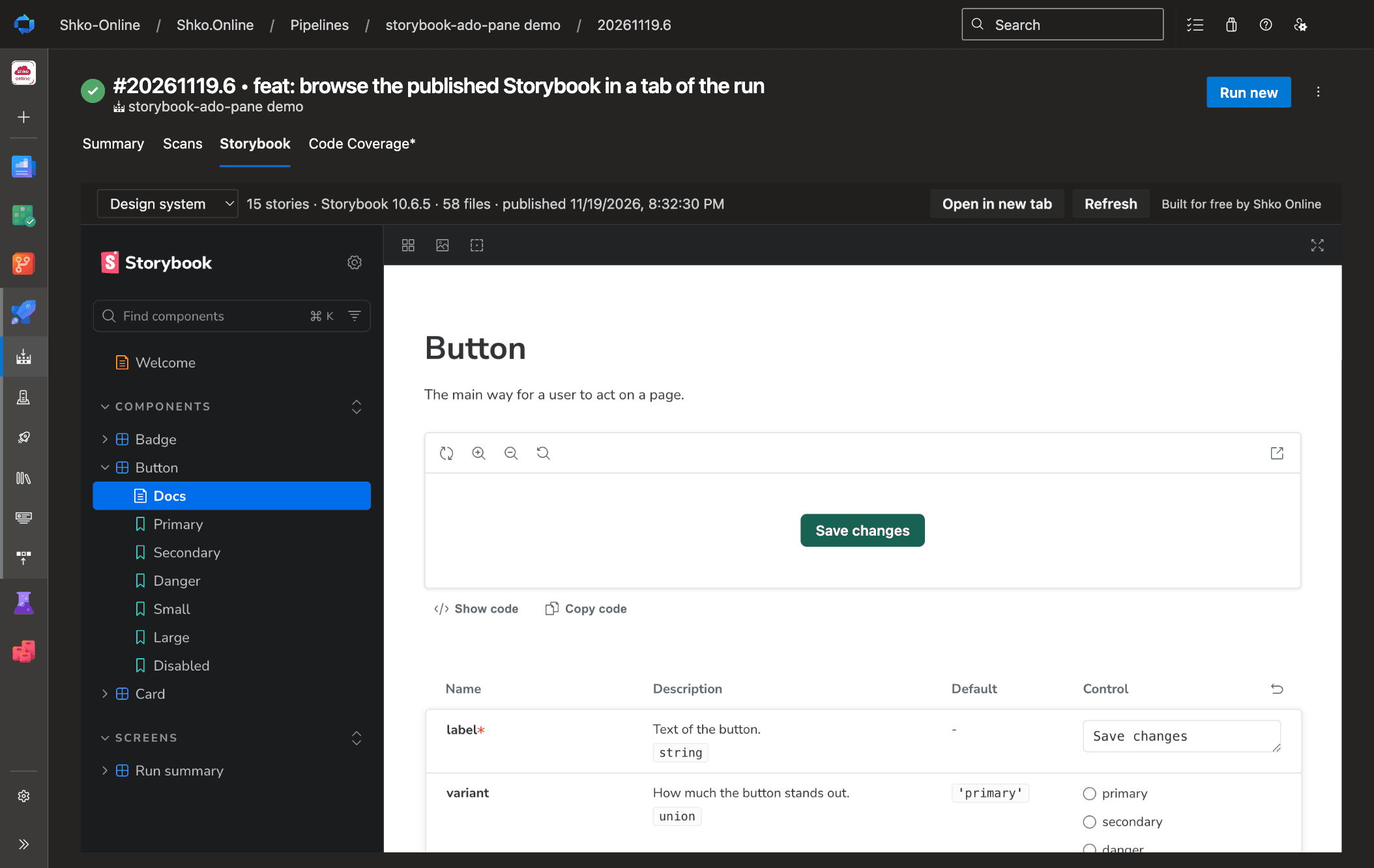
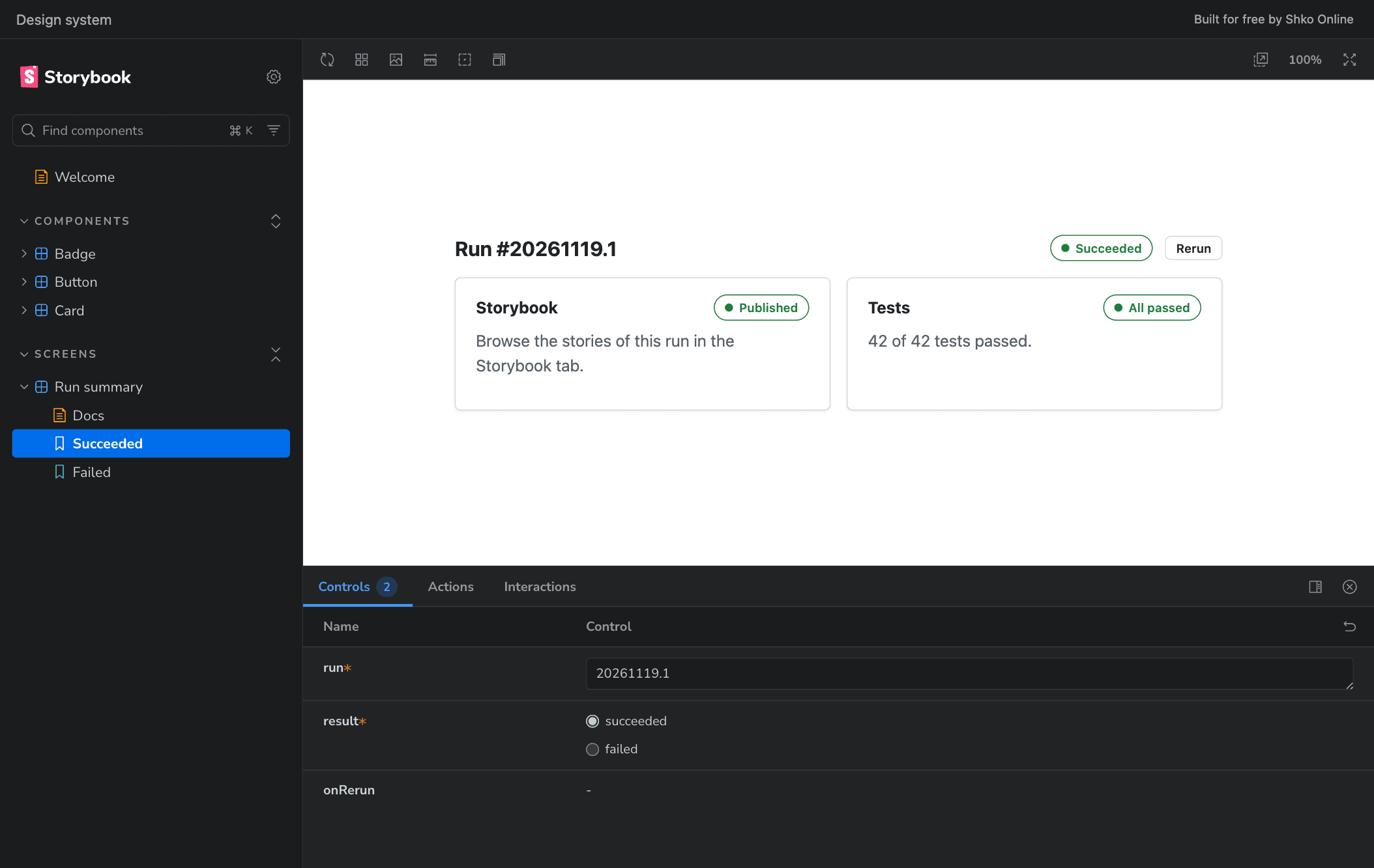
The Storybook tab shows the whole Storybook: the sidebar, stories, documentation pages, controls and the other addon panels.
Nothing to host
The tab unpacks the artifact in your browser’s memory. You need no static site, storage account or preview environment.
A Storybook for every run
Open the run of a pull request to review its components, or an older run to see how they looked then.
Get started
1. Install Storybook Viewer in your Azure DevOps organization, then build your Storybook in the pipeline, as you do locally:
- script: npm ci
  displayName: Install dependencies

- script: npx storybook build
  displayName: Build Storybook
2. Add the task after it:
- task: PublishStorybook@1
  inputs:
    storybookDir: storybook-static
3. Run the pipeline, open the run, and select the Storybook tab.
When a run publishes more than one Storybook, give each its own artifact name, and a title to tell them apart in the tab:
- task: PublishStorybook@1
  inputs:
    storybookDir: packages/design-system/storybook-static
    artifactName: storybook-design-system
    title: Design system

- task: PublishStorybook@1
  inputs:
    storybookDir: apps/admin/storybook-static
    artifactName: storybook-admin
    title: Admin app
Task inputs
storybookDir- Folder that contains the built Storybook, relative to $(System.DefaultWorkingDirectory). Default:
storybook-static artifactName- Name of the build artifact. Give each Storybook of a run its own name, different from the other artifacts the run publishes. Default:
storybook title- Name shown in the tab. Default:
the artifact name ifMissing- warn, error or ignore when the folder or its index.html is missing. Default:
warn
Good to know
- A regular build artifact. The Storybook is listed with the other artifacts of the run as one file,
storybook.zip. Later stages can use it, for example to unzip and deploy it, and it is kept as long as the artifacts of the run. - Links to a story. The address of the run page follows the story you open. Copy it to bring a colleague to the same story of the same run.
- Runs in progress. The tab checks for new Storybooks every few seconds until the run completes.
- Light and dark. Storybook's interface follows the theme of Azure DevOps, unless your Storybook sets a theme of its own.
- Absolute paths work. A Storybook that refers to its files from the root of a site, such as
/logo.png, finds them. - Storybook versions. Tested with Storybook 7, 8, 9 and 10, built with Vite and with webpack.
- Permissions. The extension only asks for Build (read), to read the artifacts of a run.
Limitations
- Browsers that block storage for embedded pages. The tab shows the Storybook with a service worker. A browser that blocks third-party cookies and storage, and private windows of some browsers, do not allow one in a page embedded in Azure DevOps. The tab then offers Open in new tab, where the Storybook works.
- Mock Service Worker. For the same reason a Storybook cannot start a service worker of its own in the tab, so stories that mock requests with Mock Service Worker do not get their mocks. The tab tells you when a Storybook tries.
- Size. The whole Storybook is downloaded before it opens. One of 1,500 files and 38 MB opens in a few seconds; one with hundreds of megabytes of static files takes a while and needs that much memory.
- Azure DevOps Services. The extension is developed for and tested on Azure DevOps Services (dev.azure.com).
Trust
A Storybook is a web application, and the tab runs it in your browser. Its code gets the access the tab has: it can read the builds of your organization as you. Open the Storybooks of runs you trust, and treat a Storybook built from an untrusted pull request as you would treat running that code.
Privacy
The extension has no telemetry. The Storybook is downloaded from your Azure DevOps organization and unpacked in the memory of your browser. Its files are not sent anywhere and are not saved to disk. What a story loads from other sites, such as fonts, images and APIs, is up to the story.
Built for free by Shko Online
We build and maintain Storybook Viewer for free. Found a bug or need a feature? Open an issue on GitHub. To review test reports in the run as well, see Playwright BDD Report, our other Azure DevOps extension. We also build pipelines and test automation, and deliver Dynamics 365, Power Platform and Azure projects. Need help with your pipelines or components? Contact us.
Storybook is a trademark of its respective owners. This extension is an independent project and is not affiliated with or endorsed by the Storybook project.