
Playwright BDD reports in Azure Pipelines
Playwright BDD Report is a free Azure DevOps extension. Publish your playwright-bdd test report from the pipeline and review it in a tab of the run, right in the browser. You don't have to download or unzip any artifacts.
Open source under the MIT license. View the source on GitHub. One of our Azure DevOps extensions.
What you get
A pipeline task
PublishPlaywrightBddReport@1 attaches your HTML report to the pipeline run.
A tab on the run page
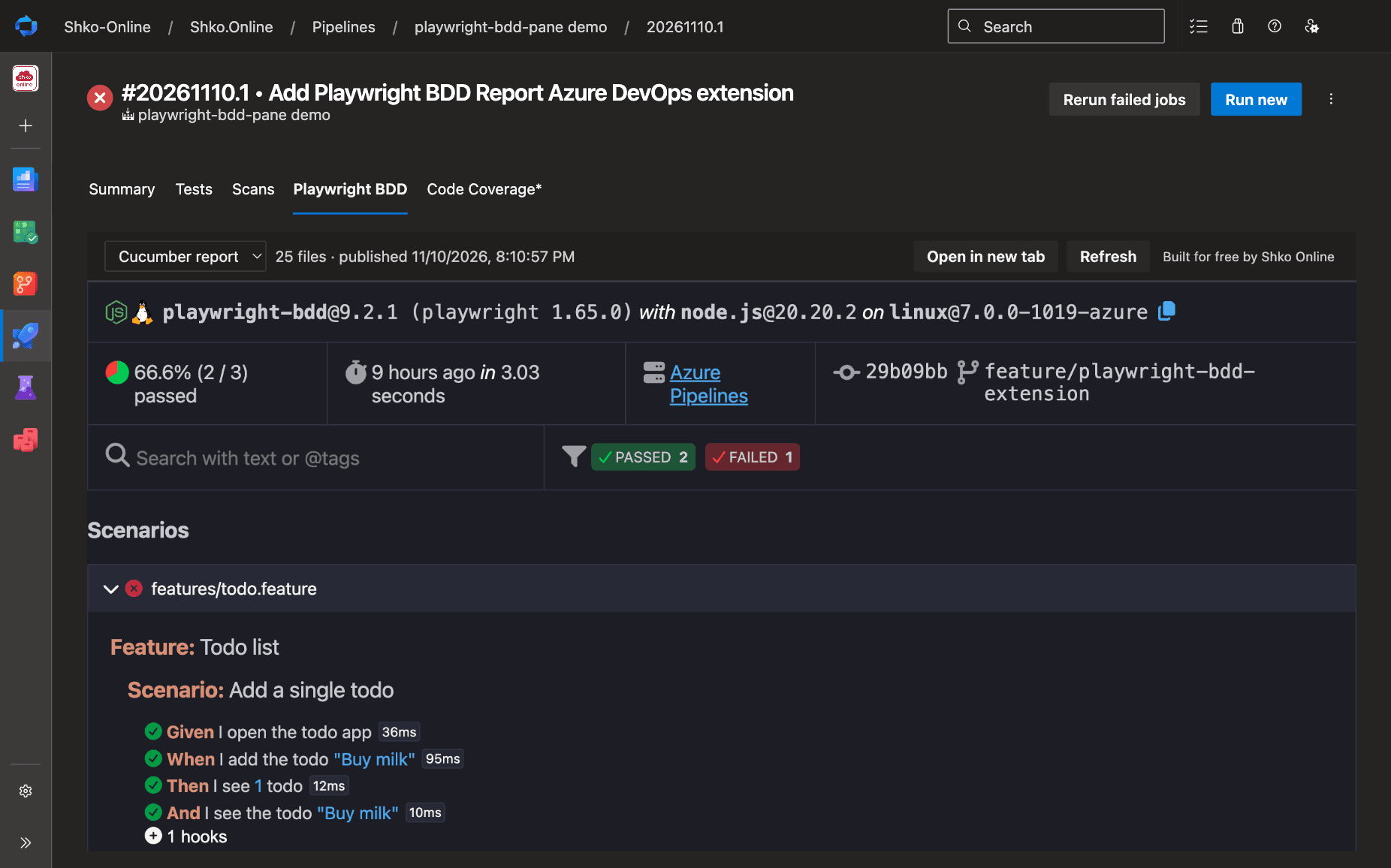
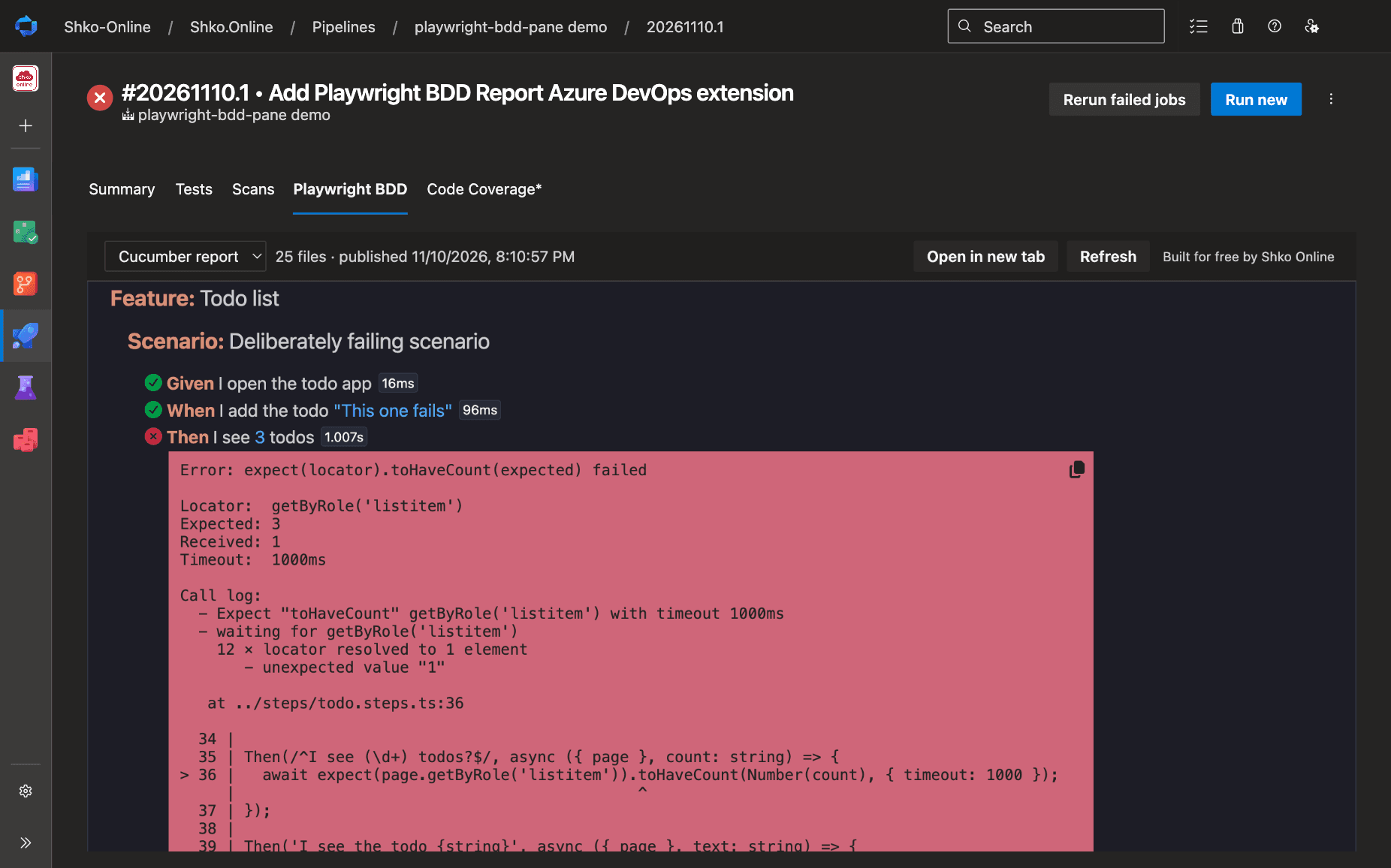
The Playwright BDD tab renders the report: features, scenarios, steps, errors and screenshots.
Traces in one click
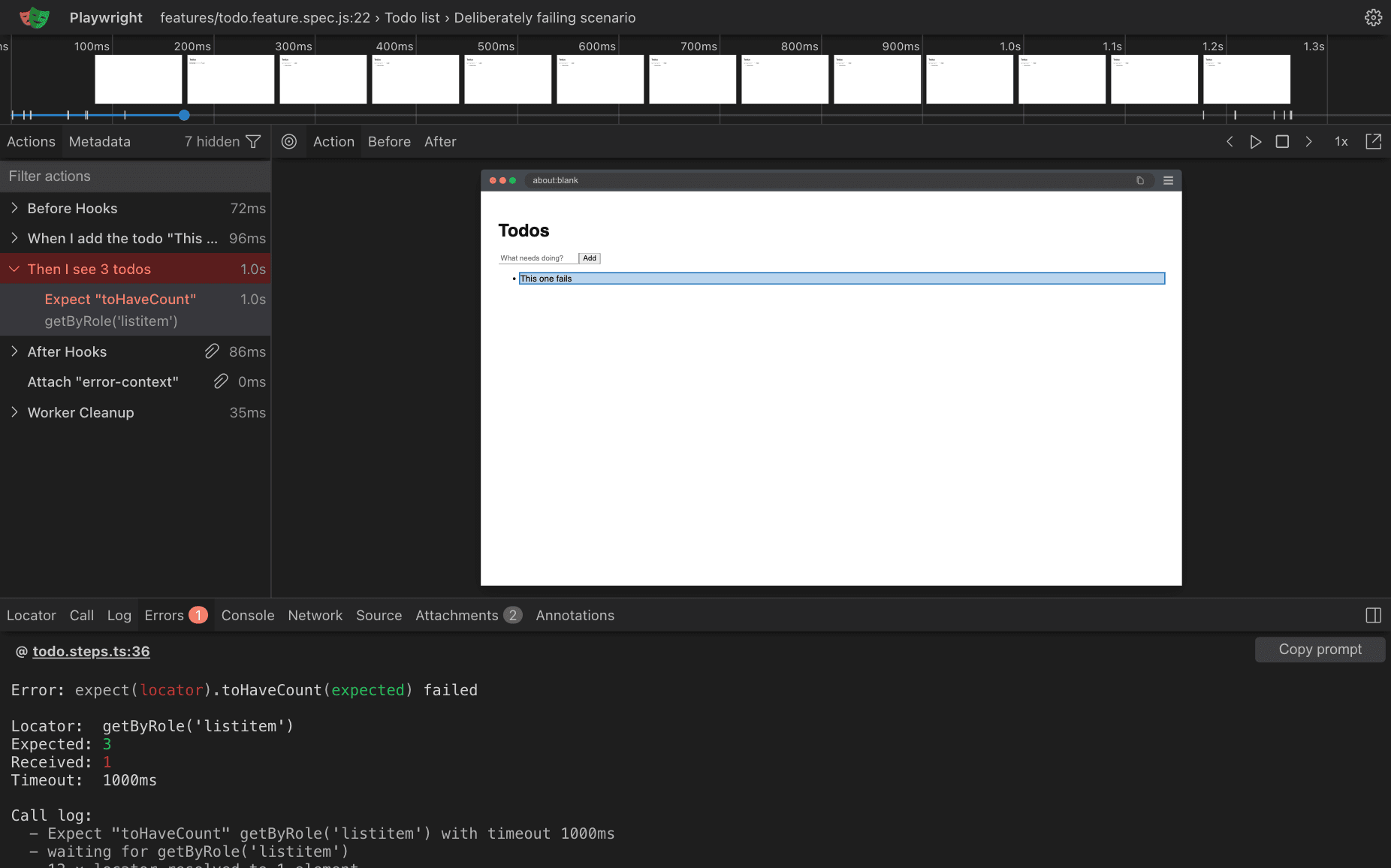
View trace opens the test trace in the Playwright Trace Viewer, right inside the tab. The viewer ships with the extension, so the trace stays in your browser.
Cucumber and Playwright reports
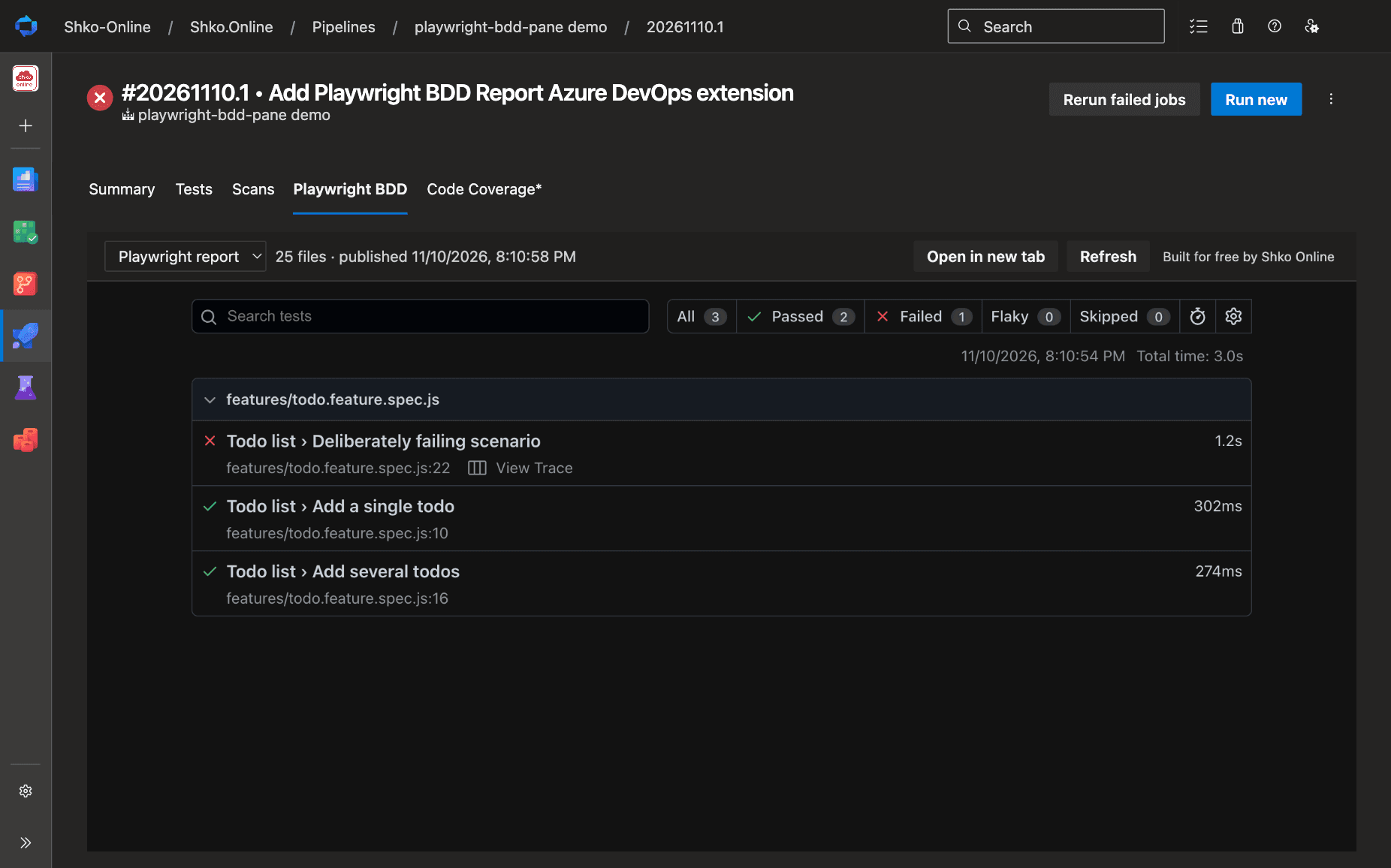
Publish the Cucumber HTML report, Playwright's HTML report, or both, and switch between them in the tab.
Get started
1. Install Playwright BDD Report in your Azure DevOps organization, then configure the playwright-bdd HTML reporter in playwright.config.ts:
import { defineConfig } from '@playwright/test';
import { defineBddConfig, cucumberReporter } from 'playwright-bdd';

const testDir = defineBddConfig({ features: 'features/*.feature', steps: 'steps/*.ts' });

export default defineConfig({
  testDir,
  reporter: [cucumberReporter('html', { outputFile: 'cucumber-report/index.html', externalAttachments: true })],
  use: { screenshot: 'only-on-failure', trace: 'retain-on-failure' },
});
2. Add the task after your test step:
- script: npx bddgen && npx playwright test
  displayName: Run tests

- task: PublishPlaywrightBddReport@1
  condition: succeededOrFailed()   # publish the report when tests fail too
  inputs:
    reportDir: cucumber-report
3. Run the pipeline, open the run, and select the Playwright BDD tab.
To also publish Playwright's HTML report, add ['html', { outputFolder: 'playwright-report' }] to your reporters and a second task:
- task: PublishPlaywrightBddReport@1
  condition: succeededOrFailed()
  inputs:
    reportDir: playwright-report
    reportName: Playwright report
Task inputs
reportDir- Folder that contains the report, relative to $(System.DefaultWorkingDirectory). Default:
cucumber-report entryFile- Page to open first. Default:
index.html reportName- Name in the report picker. Give each report its own name if one job publishes several. Default:
job name ifMissing- warn, error or ignore when the report folder is missing. Default:
warn
Good to know
- Multiple jobs and reports. Every published report appears in the tab's picker. Reports with the same name from different jobs, such as matrix jobs, are labelled with their job name.
- Runs in progress. The tab checks for new reports every few seconds until the run completes.
- Permissions. The extension only asks for Build (read), to read the reports attached to a run.
externalAttachments: truekeeps the report small and fast to load. The Cucumber report also needs it for View trace links.
Privacy
The extension has no telemetry and makes no external calls. Reports are downloaded from your Azure DevOps organization and unpacked in your browser. Traces open in the Playwright Trace Viewer that comes with the extension, so they never leave your browser either.
Built for free by Shko Online
We build and maintain Playwright BDD Report for free. Found a bug or need a feature? Open an issue on GitHub. To browse your Storybook in the run as well, see Storybook Viewer, our other Azure DevOps extension. We also build pipelines and test automation, and deliver Dynamics 365, Power Platform and Azure projects. For PCF controls, see ComponentFramework Mock, our testing library. Need help with your pipelines or tests? Contact us.